

|
|
|
|||||||
| BASEBALL Post your Baseball Cards Hobby Talk |
 |
|
|
Thread Tools | Display Modes |
 10-10-2021, 01:49 PM
|
#51 | |
|
Member

|

Quote:
__________________
IG: venezuelan_league_stickers |
|

|

|
|
10-10-2021, 02:01 PM
|
#52 | |
|
Member

|
Quote:
List of eBay APIs: https://developer.ebay.com/docs Marketplace Insights API: https://developer.ebay.com/api-docs/.../overview.html Useful thread on the eBay developers forum: https://forums.developer.ebay.com/qu...ted-items.html |
|
|
|
|
|
10-10-2021, 07:56 PM
|
#53 |
|
Member

Join Date: Apr 2019
Posts: 5,133
|
Here’s my take on an inventory: (removed). Some links on the site are still broken, and I’ve adapted a stock theme for my needs. But, whatever, it works well enough. I update a CSV file on my computer and upload it. It’s automatically transformed into HTML-parseable data.
Aside from the $12/yr domain name (which I use for other things), this site costs me around $.04/month to host. Update: This method was barely functional. I use something better now.
__________________
https://gallery.us175.com/  https://inv.us175.com/wantlist Last edited by NYBBFAN; 06-09-2024 at 03:26 PM. |
|
|
|
|
07-16-2022, 08:49 PM
|
#54 |
|
Member
|
 tommyfro21 please teach me!
@tommyfro21 please tell me how you set that all up, I love the setup man! That is awesome work. What would it take to get some love on how you set it all up? 100% computer nerd here, wouldn't be hard to explain. Thank you sir, I really hope I hear back from you!
Best Regards, Jon Clegg |

|
|
|
07-25-2022, 02:14 PM
|
#55 | |
|
Member
Join Date: Oct 2010
Posts: 1,350
|
Quote:
Sorry I couldn’t get to this sooner. I created a shareable Google file if anyone else wants to use this. Thought this would be easier than explaining. When you click on the net profit box, you’ll see the formula that I use. Nothing fancy there. One small thing I do though is if I sell a card on MySlabs, I change the box (called ebay/myslabs on the file) color to yellow so I know where I purchased it if I need my info from the sale again. I enter in the fees from that site in this box. Makes it easier to locate. If I sell it elsewhere, I change the box color to black since I do not have fees from either place to enter. One other small thing that I do but did not leave on this file was that I used multiple tabs on the bottom. One list raw cards on one tab and graded on another. Just makes it easier for me to find them. I also duplicate the main tab and name it whatever year it is. Everything stays on the main tab (raw or graded) until I sell it. I cut the card info from the original tab and paste it on the sold tab for that year. That way I always know what cards I own and what cards I’ve sold every year. Most of the other stuff is pretty self-explanatory, but if you or anyone else have any questions, let me know! https://docs.google.com/spreadsheets...it?usp=sharing Sent from my iPhone using Tapatalk |
|
|
|
|
|
06-09-2024, 03:36 PM
|
#56 |
|
Member
Join Date: Apr 2019
Posts: 5,133
|
I wanted to bump this thread. I've been working on making my inventory easier to access and manipulate. The screenshot below shows some partial columns returned. This view makes it really easy to see what I have and what I need for a set. I have some different things set up for buy/sell/trade data.
The form in the top right is where the year, set, subset and quantity are specified. I am almost done with a toggle feature to enable a player search, regardless of year, set and subset. The quantity field allows me to easily see what I don't have (0), or what I do have (1). The quantity field won't exist for player searches, because I have dupes of some cards intentionally. The layout is responsive, so it is easily readable on my phone too. Excel sheets were ok for me from like 2010 through a few years ago, but I was tired of being tied to my computer to know what I have and what I don't. I avoid using Google outside of watching YouTube videos, so Sheets is also a no-go for me. I don't think the interface of any online spreadsheet app is very friendly on mobile anyway. My goal was to build out my app before the National this year, and I did! Desktop version: 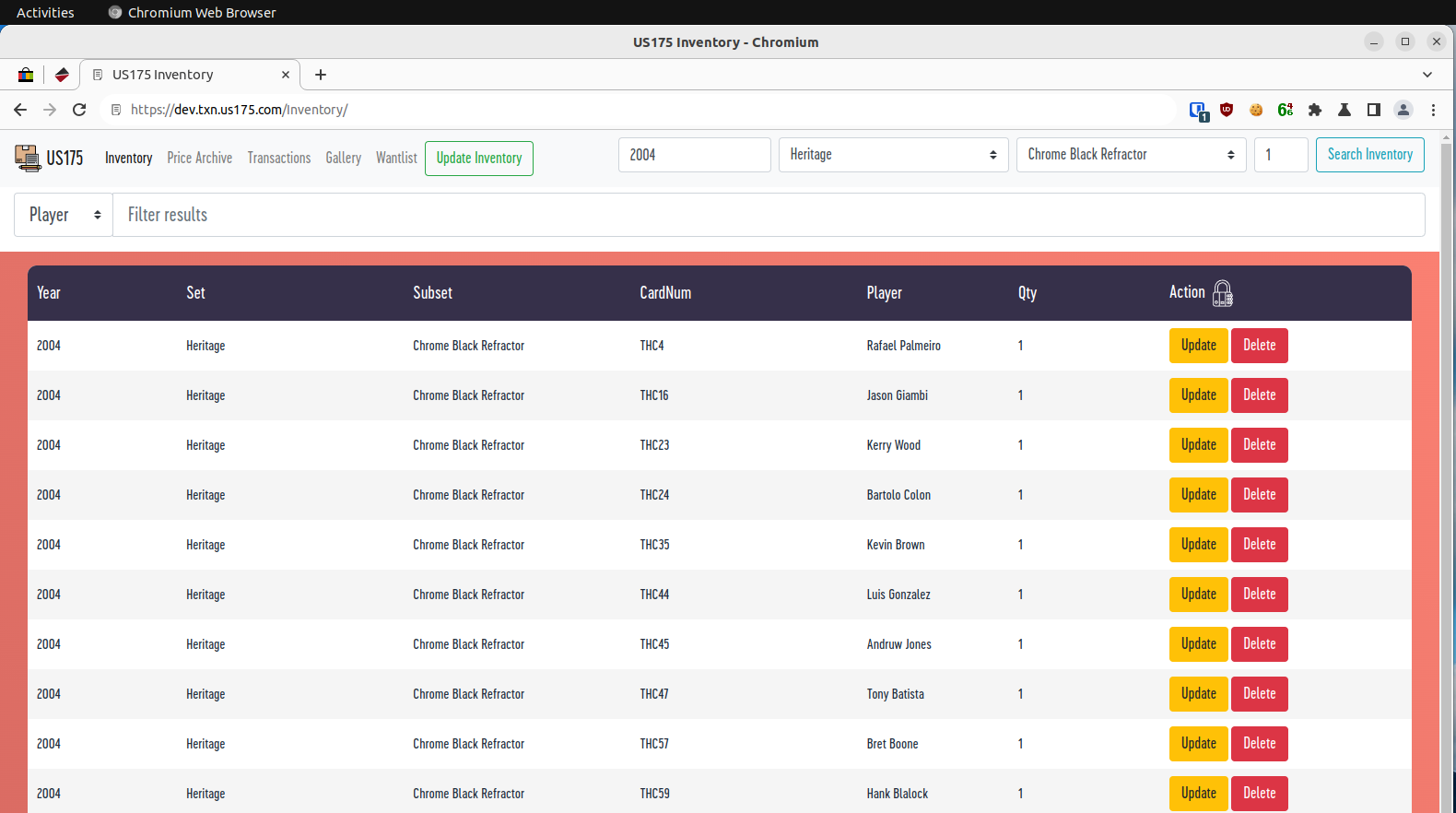 Mobile version: 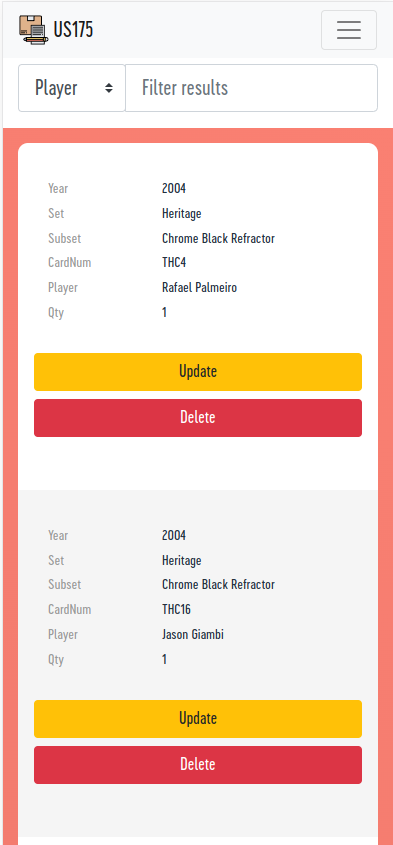
__________________
https://gallery.us175.com/ https://inv.us175.com/wantlist |
|
|
|
|
| Bookmarks |
|
|


 Linear Mode

